Seamless Model Handoff
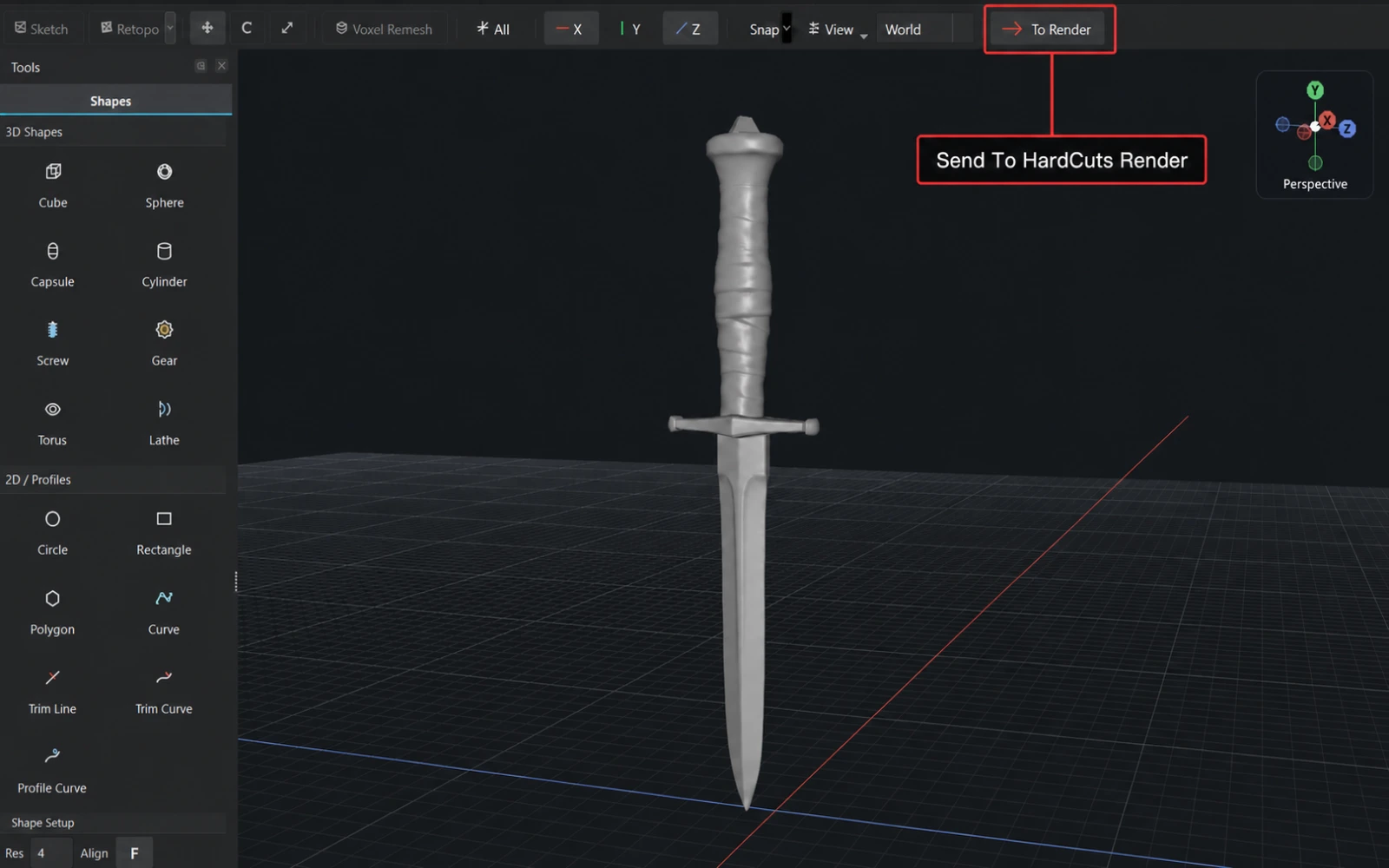
Send models straight from HardCuts into HardCuts Render, or import OBJ and STL files. Move from sculpting to presentation without rebuilding your scene.
Build detailed 3D forms with voxel booleans, dimensioned sketches and sculpting brushes. Refine the shape with Volume Clip, then prepare your model for Blender, 3D printing or HardCuts Render.
No account required to download or buy HardCuts.
Already a customer? Sign in or recover your license.
Video coming soon
Five Boolean Modes
Create, subtract, union, intersect, or slice — all five operations available directly in the viewport. No mode switching, no hidden stack.
Parametric Primitives
Box, cylinder, sphere — instantly usable as boolean cutters or base shapes.
2D Shape Cutters
Cut with circles, rectangles, polygons, trim lines, and curves — used directly as boolean operands. Precise, clean cuts without building a full 3D cutter first.
Features
Start with a solid form, cut the structure and sculpt the details. Explore the tools behind the hard surface modeling workflow.

Transform objects directly in the viewport with W/E/R shortcuts. Precise control without leaving your sculpting flow.

Full scene hierarchy with selection, drag-and-drop parenting, and object management. Keep complex scenes organized at a glance.

Use primitives and 2D shapes as cutters. Position and refine the preview, then subtract, intersect or slice with the operations supported by the tool.

Define a cross-section and sweep it along a path to generate pipes, rails, and complex extrusions in seconds.

Mirror your entire mesh or flip selected objects across any axis. Keep hard surface forms perfectly balanced without manual duplication.

Bend your mesh along X, Y, or Z around a movable pivot. Smooth curved deformations without manually reshaping the surface.

Draw a 2D profile, then revolve it around the Y axis to create a 3D form. Symmetrical shapes from a single curve.

Wrap your mesh in an editable control cage, then move its points to reshape the form. Broad smooth changes without pushing individual vertices.

Hide and restore volume with editable clip shapes, symmetry and edge controls. Choose how much hidden geometry to see, then apply the visible result or extract a hidden part.

Draw and dimension a profile, refine its corners and extrude selected regions. Turn editable sketches into plates, brackets and boolean shapes.

Refine forms with sculpting brushes, apply alpha detail and protect areas with masks. Repeat strokes with mirror or radial symmetry.

Create a low-poly surface over your model, unwrap UVs and bake normal and AO maps. Send the prepared mesh and supported maps to Blender.
Built in C++ from the ground up. Handle massive polygon counts without slowdown. Speed is the core principle.
No clutter, no overwhelming menus. A focused interface that lets you sculpt, not search for tools.
Standalone application built with raw C++ performance. No plugins, no dependencies, just pure speed.
Hardcuts Render turns your models into polished presentations. Build materials, light with HDRIs, paint in layers and finish the image with a focused post-processing stack.

Hardcuts Render Features
Turn your HardCuts models into polished presentations with materials, layer painting, studio lighting, real-time post-processing, and precise image output.
Send models straight from HardCuts into HardCuts Render, or import OBJ and STL files. Move from sculpting to presentation without rebuilding your scene.

Apply ready-made metals, plastics, rubber, ceramic, clay, and wood by drag and drop. UV-free triplanar mapping keeps textures consistent across hard-surface forms.

Build surfaces with Base, Fill, and Paint layers. Paint color, roughness, metallic, and emission directly onto your model with a focused brush toolset.
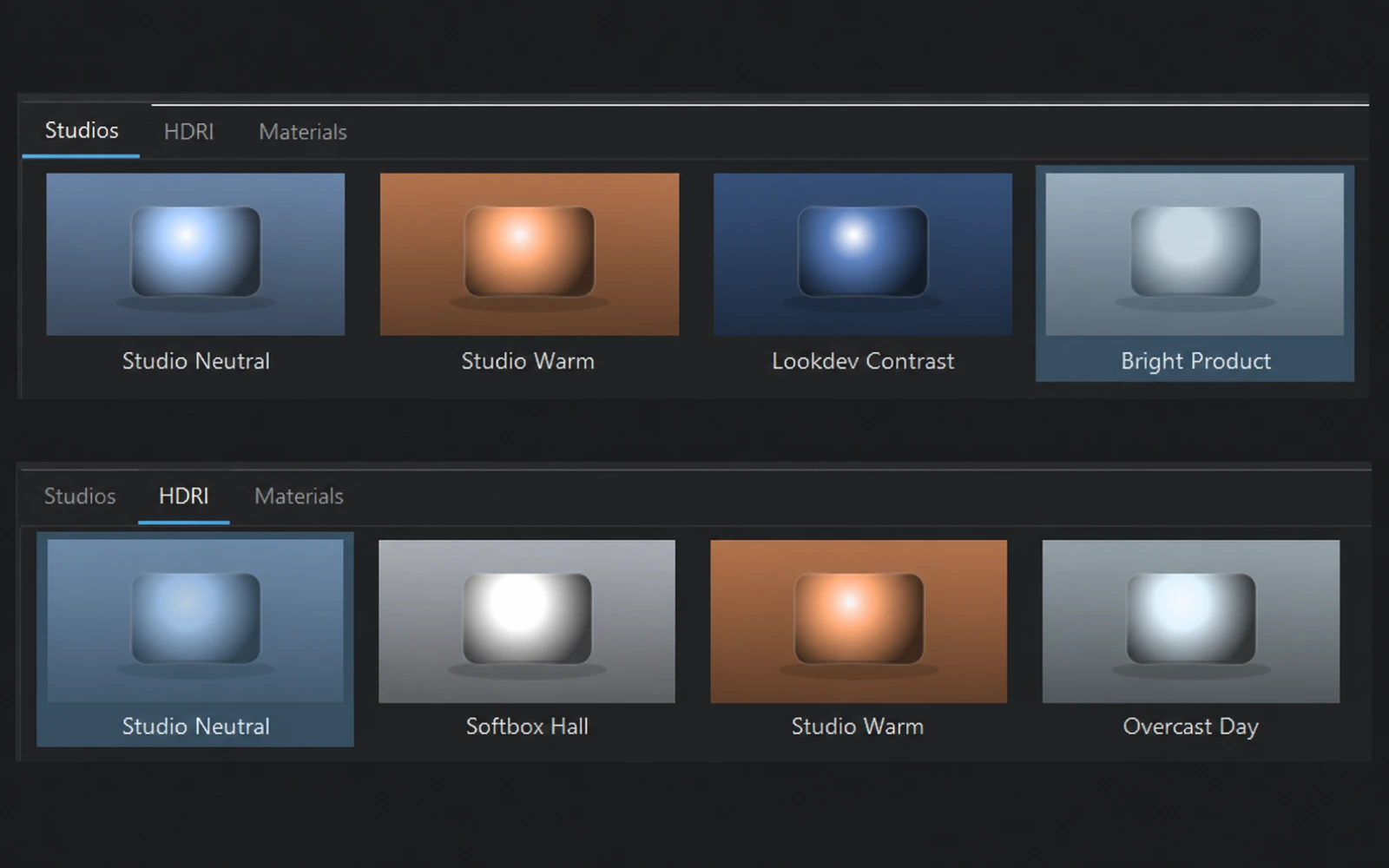
Start with complete studio rigs or bundled HDRI environments, then refine the setup with area, directional, spot, and point lights. Shape highlights and reflections in real time.
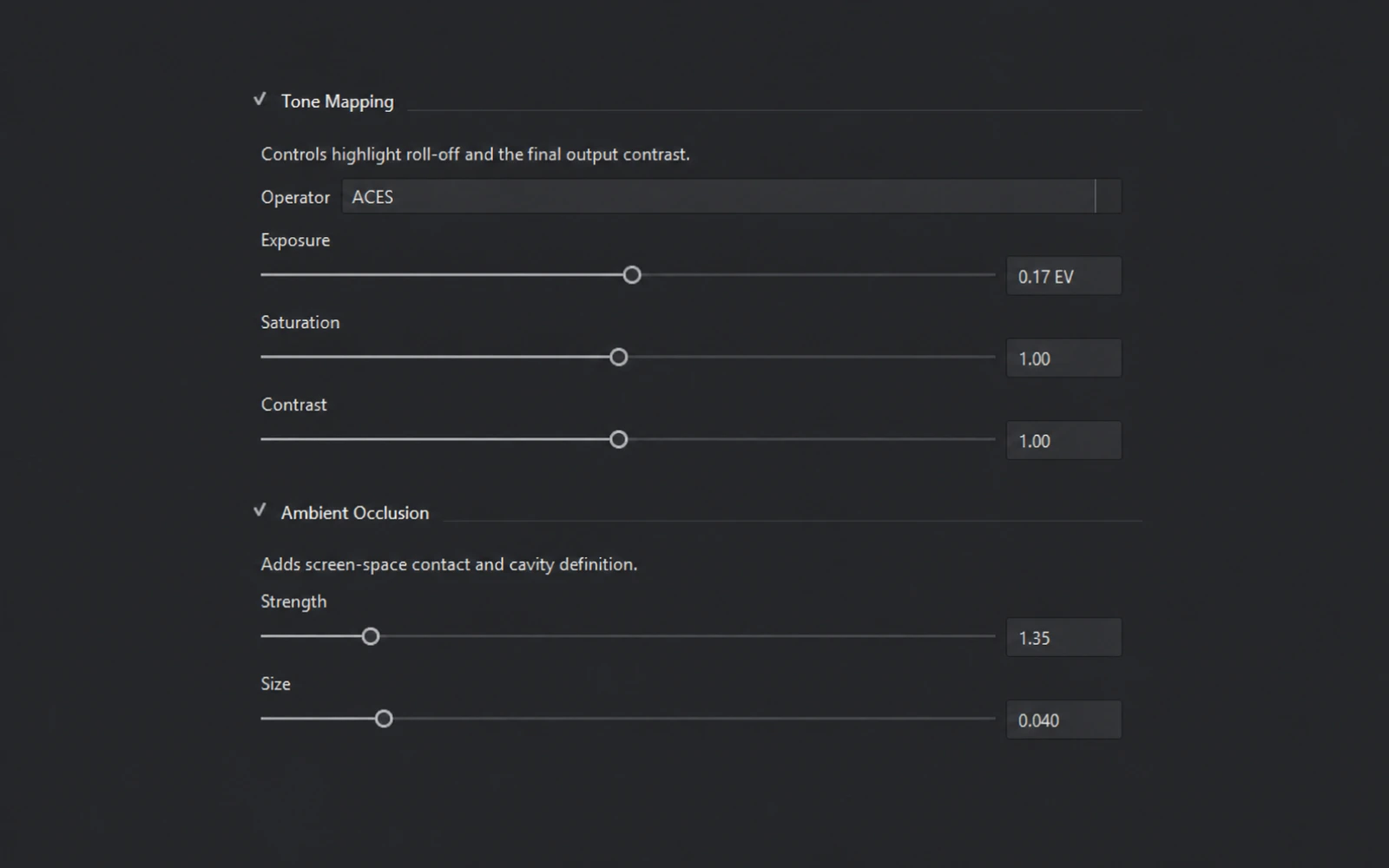
Finish your image with Neutral, AgX, or ACES tone mapping. Adjust exposure, contrast, saturation, and ambient occlusion while previewing every change in real time.
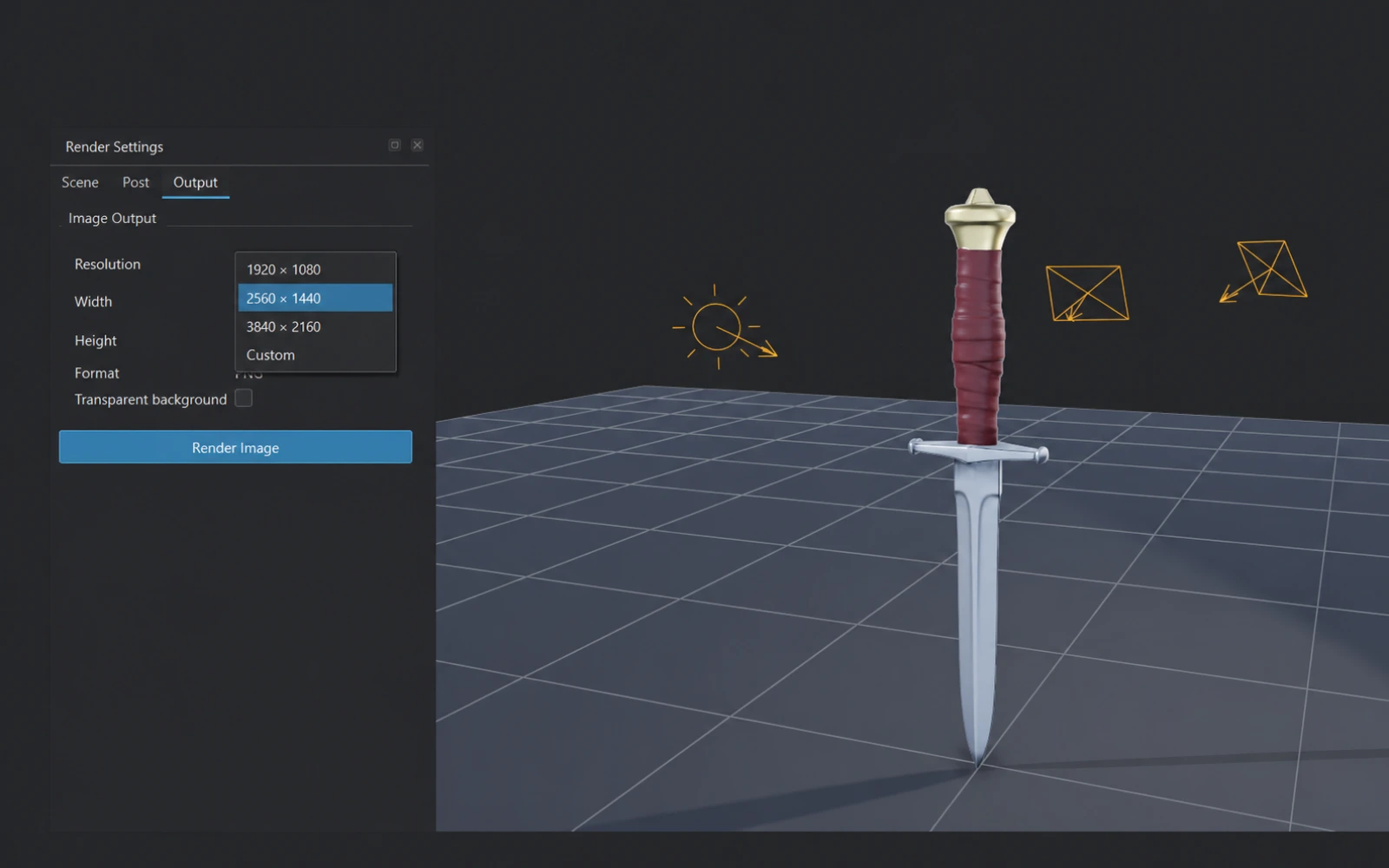
Frame your model with interactive camera controls, choose the exact output resolution, and render clean PNGs with a visible or transparent background.
Get lifetime access to Hardcuts and Hardcuts Render—from lightning-fast hard surface sculpting to polished, presentation-ready images.
Operating System
Windows 10+ or Linux
Memory
8 GB minimum, 16 GB recommended
Graphics
OpenGL 4.5 compatible GPU
Storage
1 GB available space